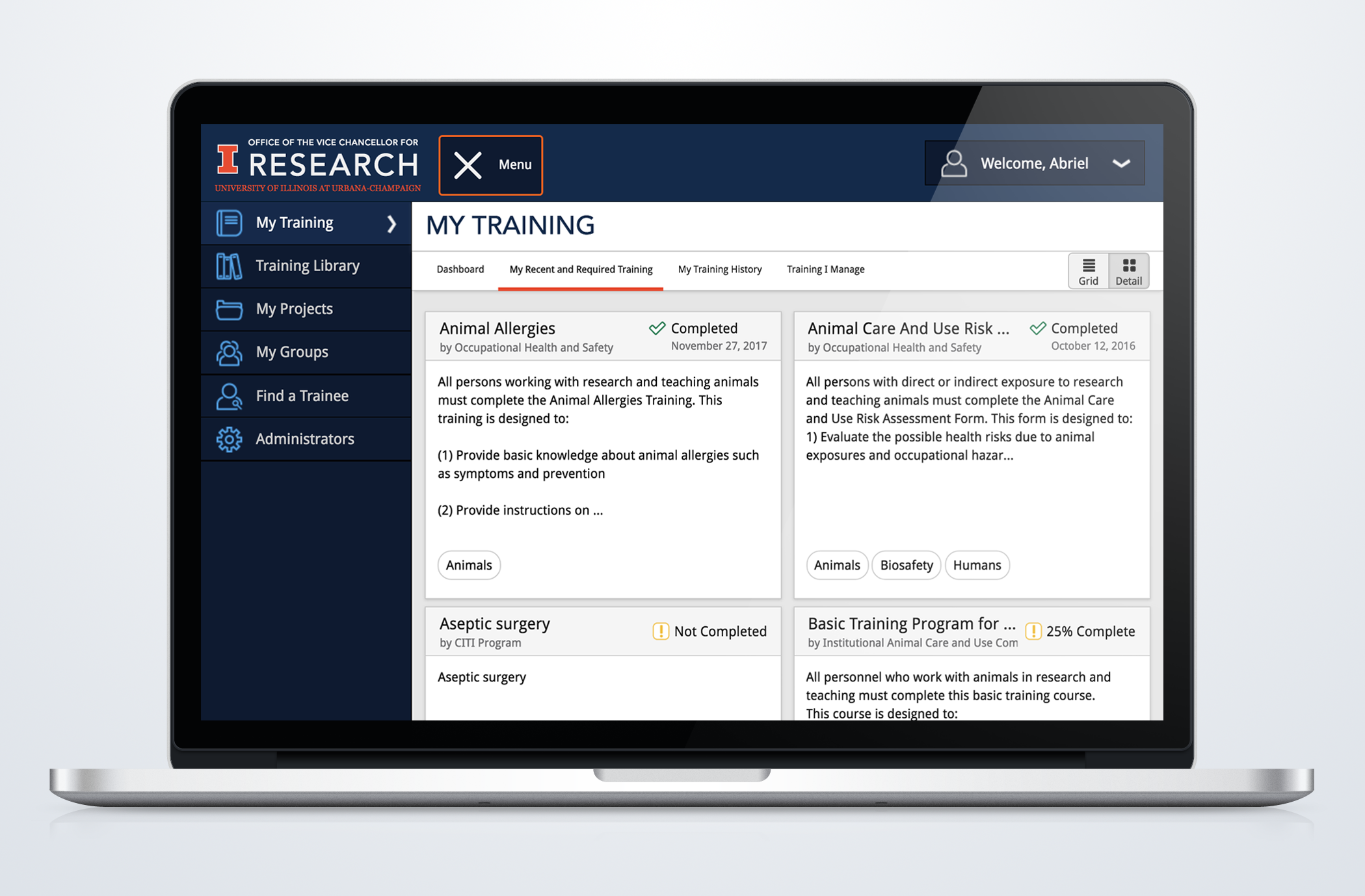
Compliance Training Case Study
Designing an easy to use training system for the Office of the Vice Chancellor of Research to help facilitate training to research personnel at the University of Illinois.
View Full Case Study
ROLE: Visual Design, User Experience Design, HTML, CSS, JavaScript, jQuery
CLIENT: Office of the Vice Chancellor for Research - University of Illinois at Urbana-Champaign
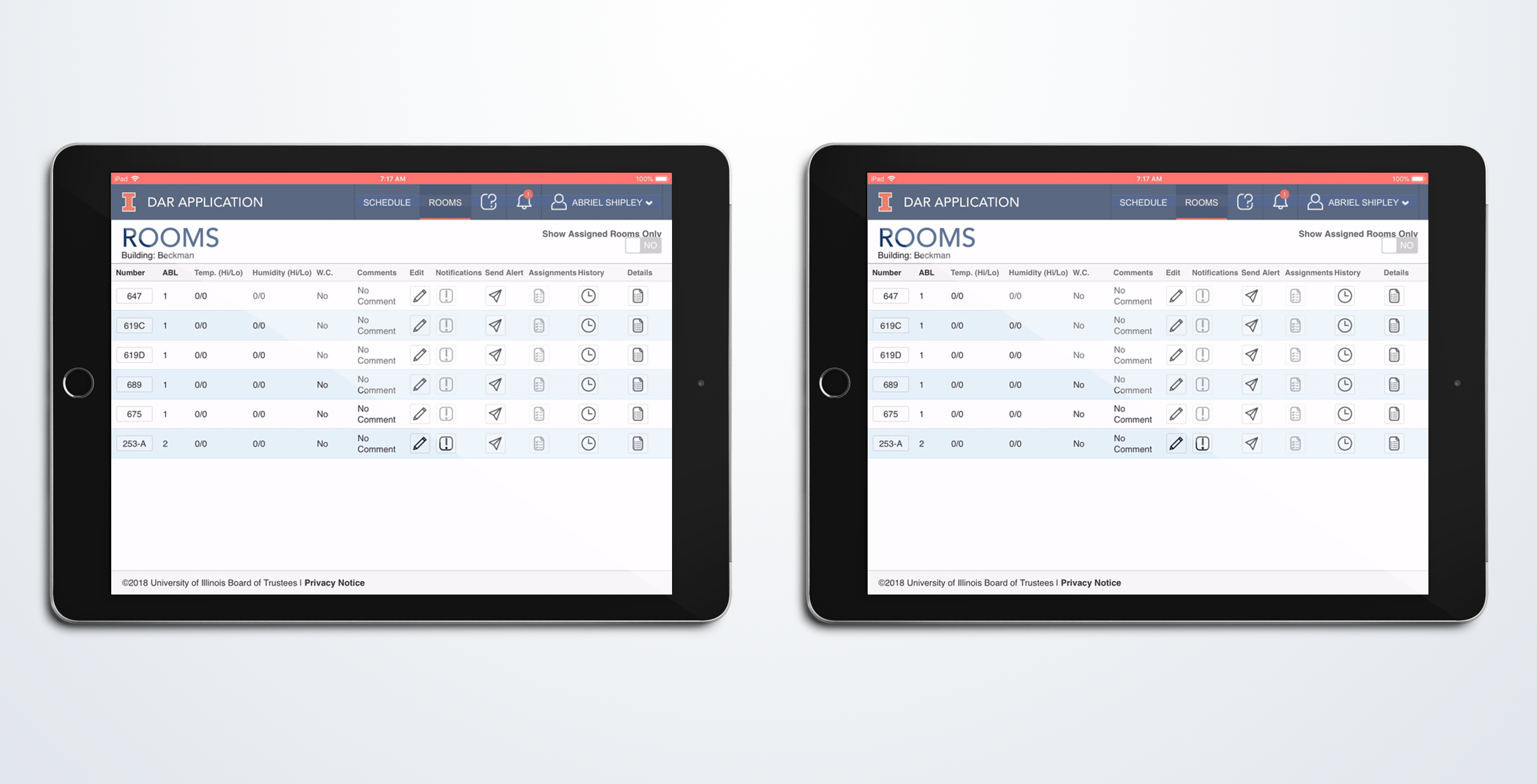
One of our departments, The Division of Animal Research, oversees laboratory animals cared for at the University of Illinois. These tasks include caring for all of the animals within the space to ensuring the animals’ safety within the protocols.
The animal care staff are these people going into the laboratories to ensure the animals are well taken care of. Tasks can range from checking the room’s temperature and humidity to cleaning all of the cages.
Going into this project, the stakeholders told us going into the project the only “software” they used to help in their process was FileMaker databases. Information kept within the databases held almost their entire process: from animal transfers and orders made by the principal investigators, to the protocols themselves.
From the database, it touched many different types of users throughout different laboratories, colleges, and departments at the university. This includes the main users of the web application, which are:
Facility Supervisors
Office Staff

Animal Care Staff
User Traits:
The iPad section of the DAR application is one of the more important aspects to ensure the user experience captured the process correctly. This is because the animal care staff work the most with the animals over any of the other key users within the process.
Since there are many stakeholders which would have their process affected by the software, it was very important to have as many stakeholder interviews for each user type as possible.
In the beginning, we were provided with existing and self-created documentation from the stakeholders. Some of this documentation included process flow charts, which helped us to better understand how the animals are taken care of. Below is just one of the provided process flows.
Animal Requests Process Flow
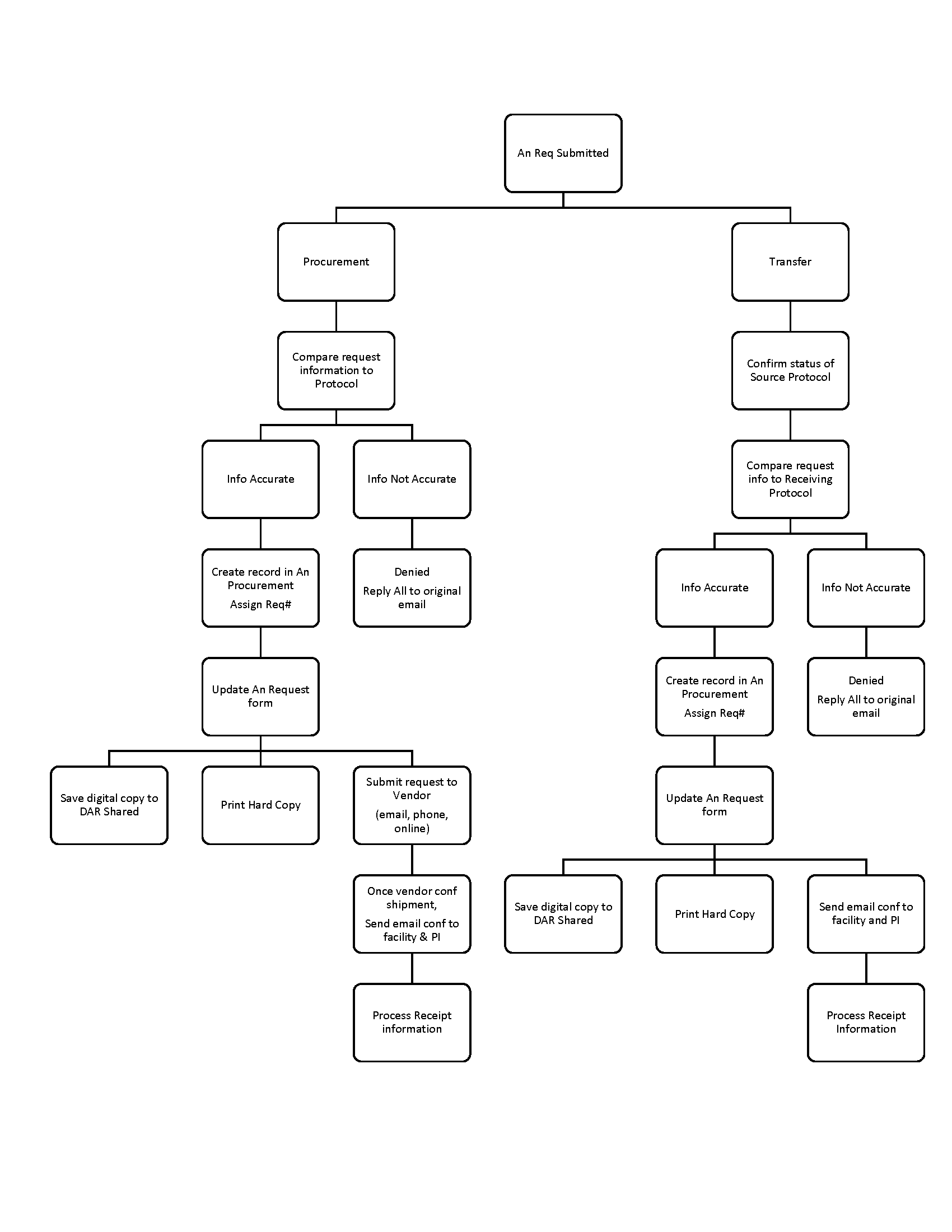
After going through all of the process flows, I created a simplified version of how the initial process flow for all of the users were created. This was to help our team understand the entire process.
Initial DAR Application Process Flow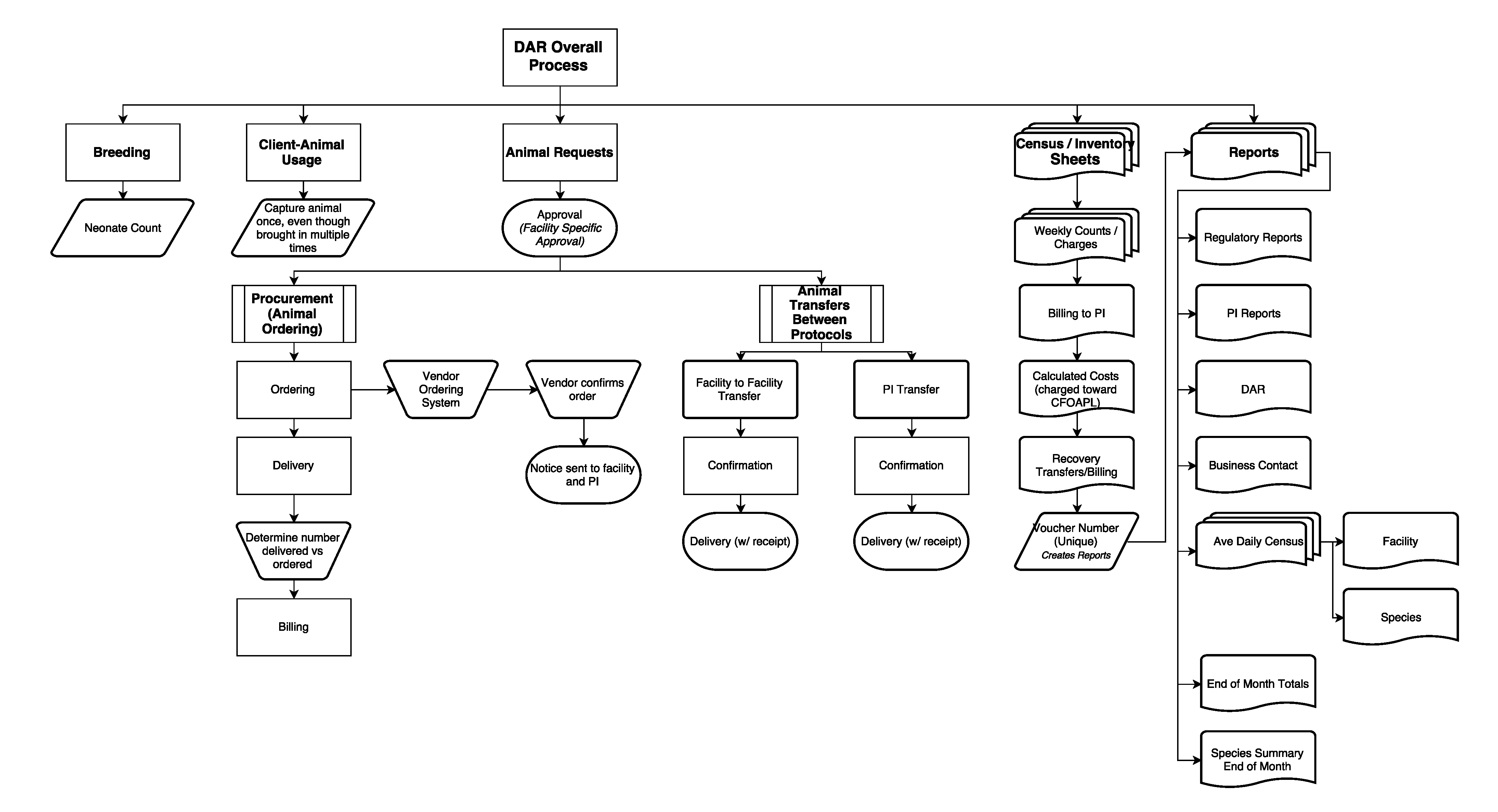
Other documentation provided to us was existing paperwork for different types of users to fill out information regarding the animals. Reasons for using an entirely paper process to complete all the aspects including:
After we gathered the information about the new process, we created a flowchart of all the applications and what each of the pieces did.
Final DAR Application Process Flow
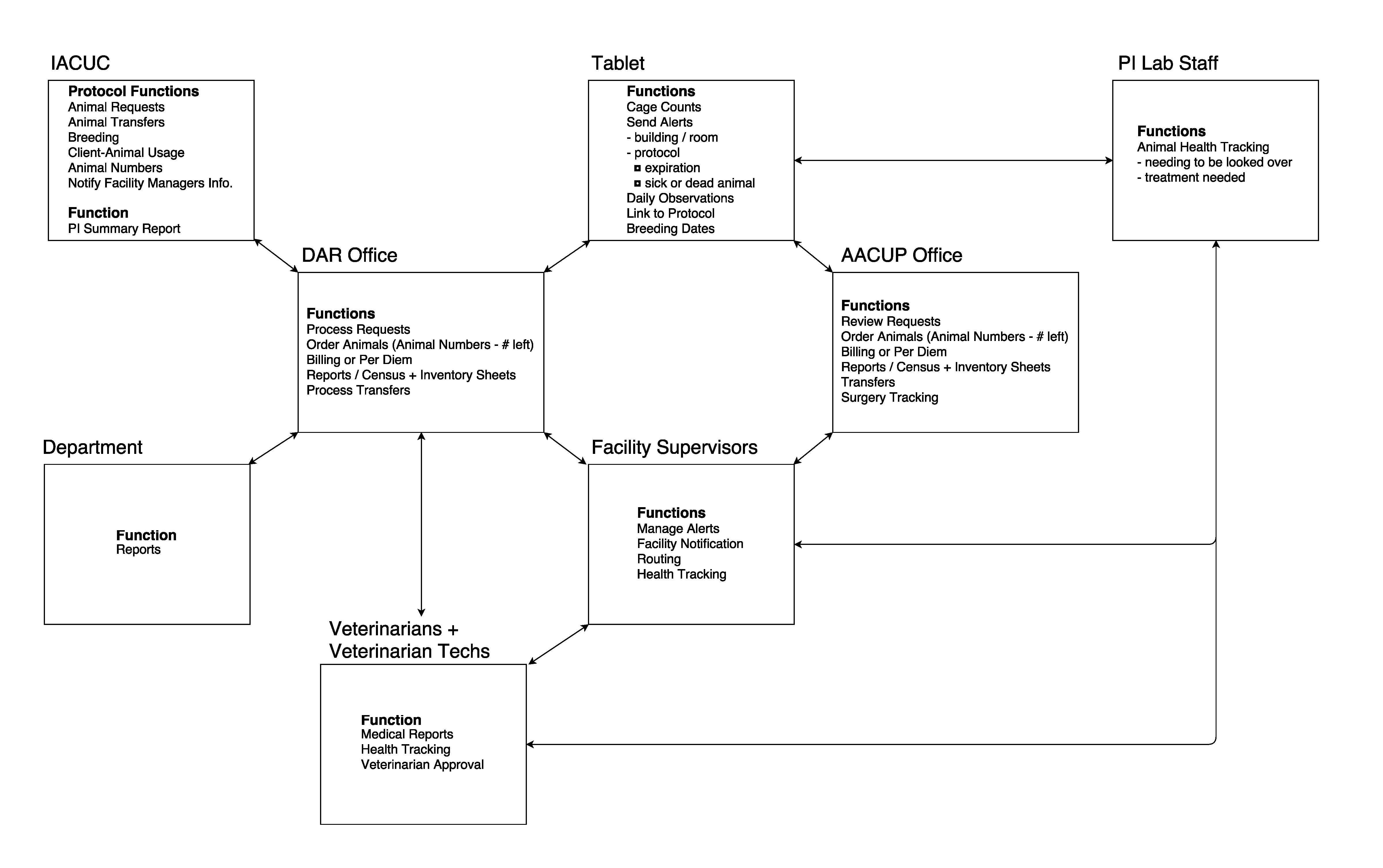
When the new process flow was created for the entire DAR web application and all of the users, we then broke down the sitemap/user flow chart for the animal care staff’s iPad web application.
Initial Final iPad Site Map/Process Flow
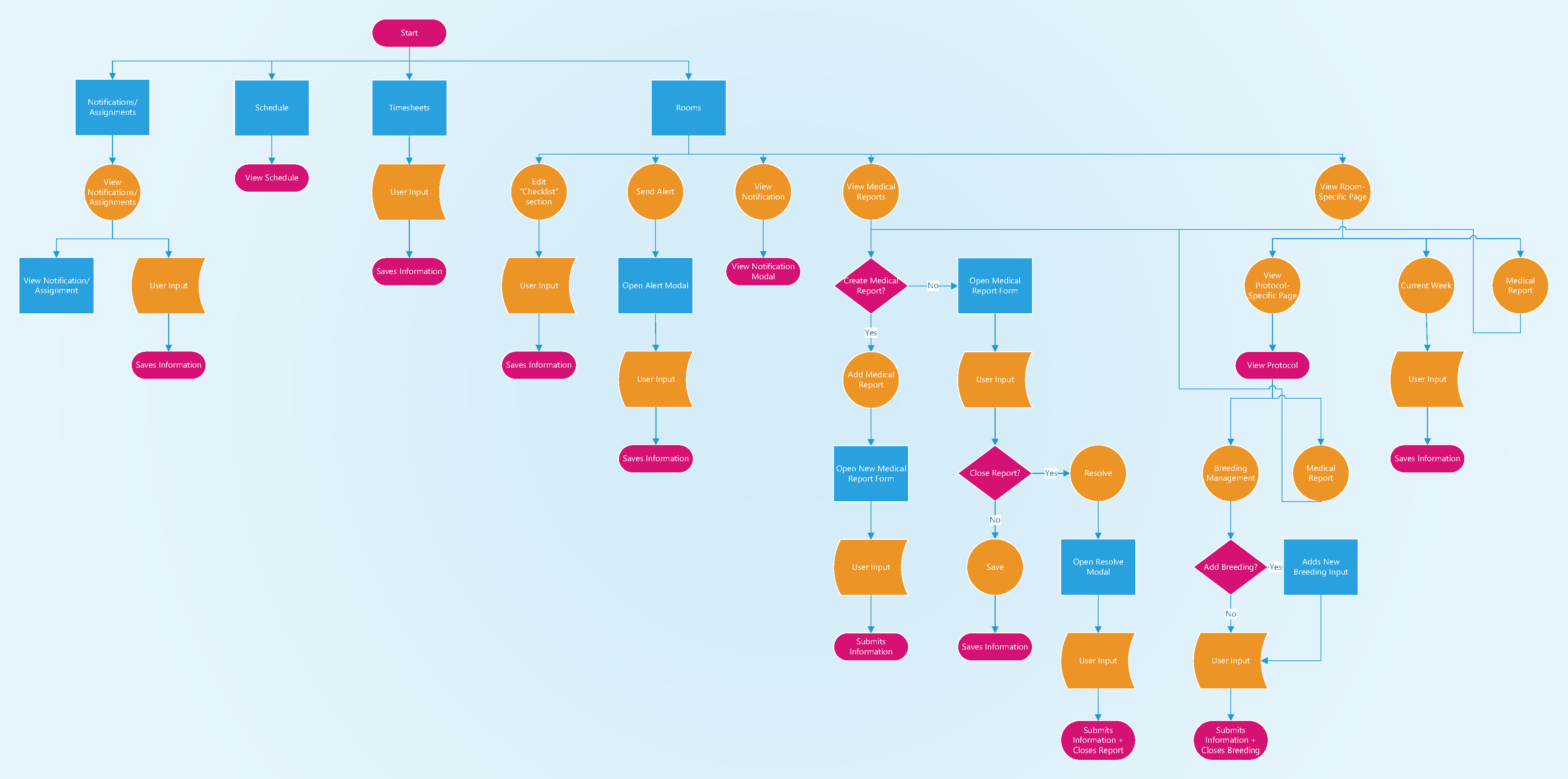
After many meetings about the medical process being incorporated into the DAR application, this part of the process was taken out due to the time it would take to make the entire medical process work properly within all aspects of the DAR application.
As a result, a lot of aspects were removed and created the new sitemap/user flow for the iPad DAR application.
Final iPad Site Map/Process Flow
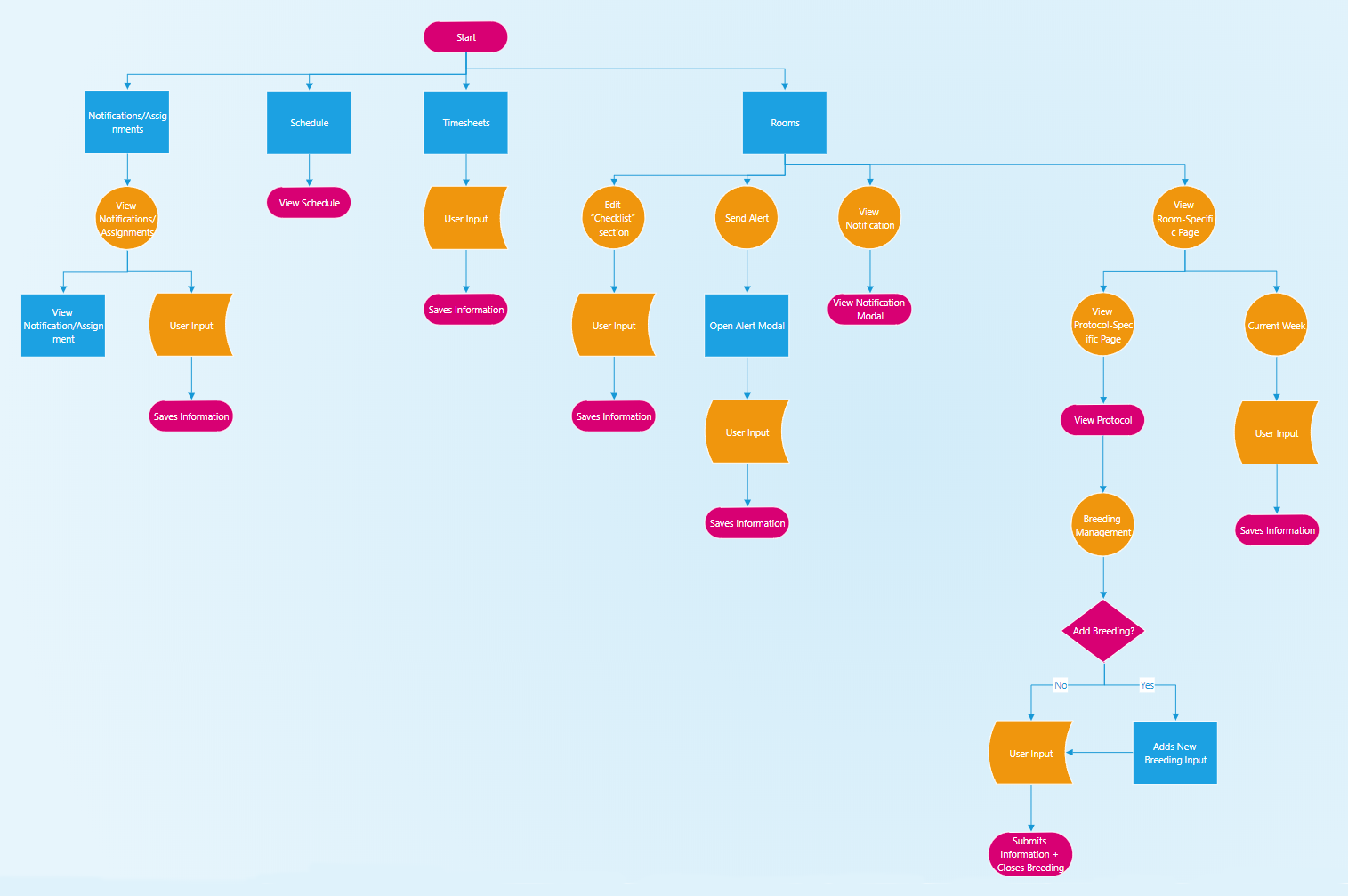
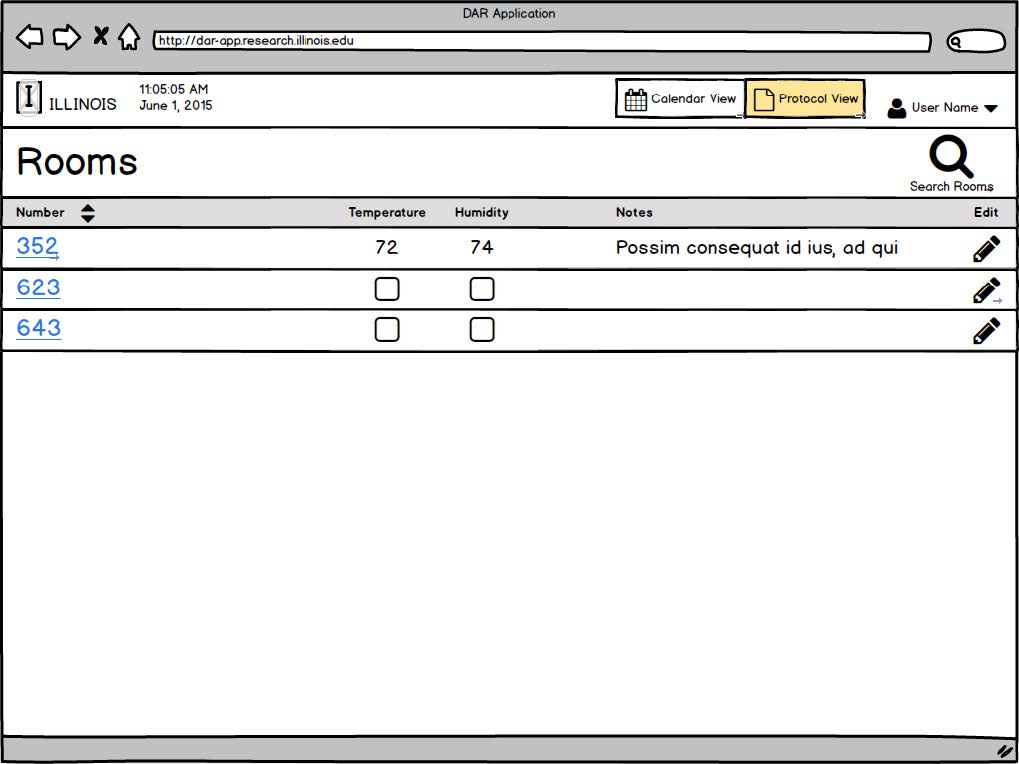
Because the iPad web application for the animal care staff was one of the more important parts of the whole DAR application to get correct, we needed to do lots of iterations of their screens throughout the process.
First iPad Application Mockup
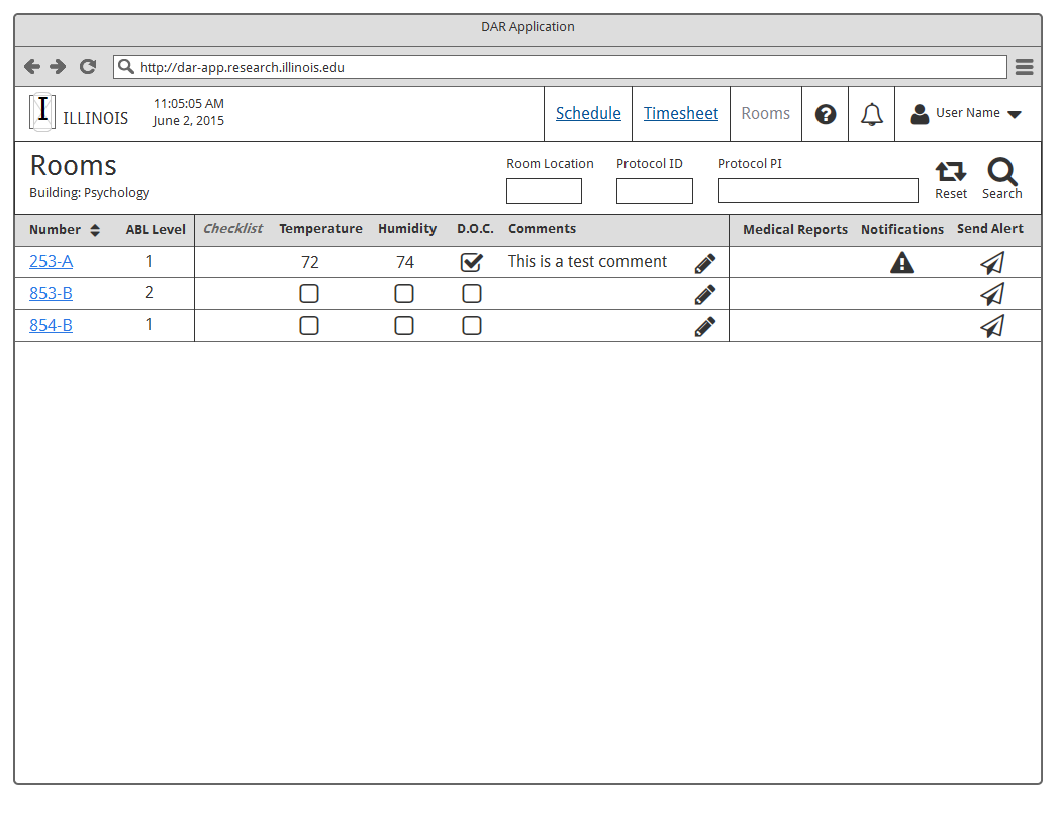
Talking further with the stakeholders about processes, we realized each facility has their own way of having the animal care staff complete the same daily tasks. As a result, we had to minimize the main screen capturing only the essential items needed for each task.
Second iPad Application Mockup
Initial Animal Care iPad Room Screen Interaction
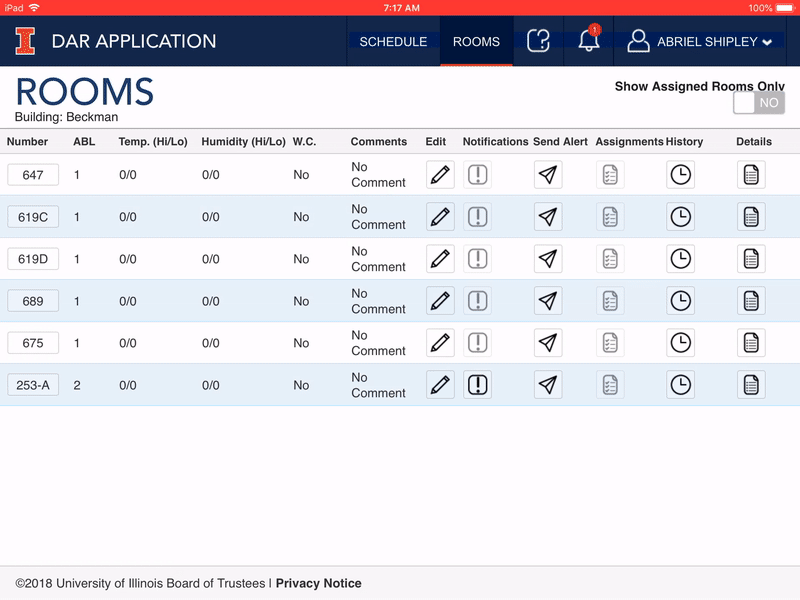
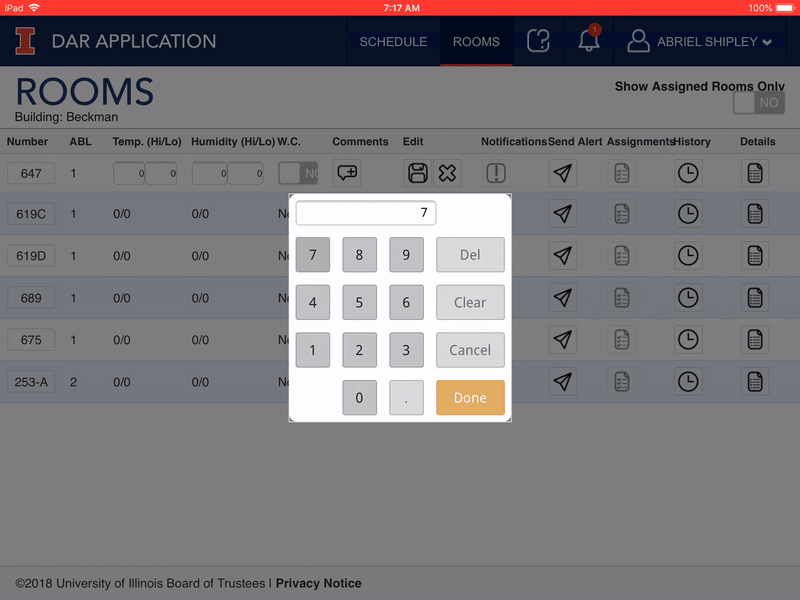
Animal Care Staff Entering Temperature Information Using Custom Number Pad
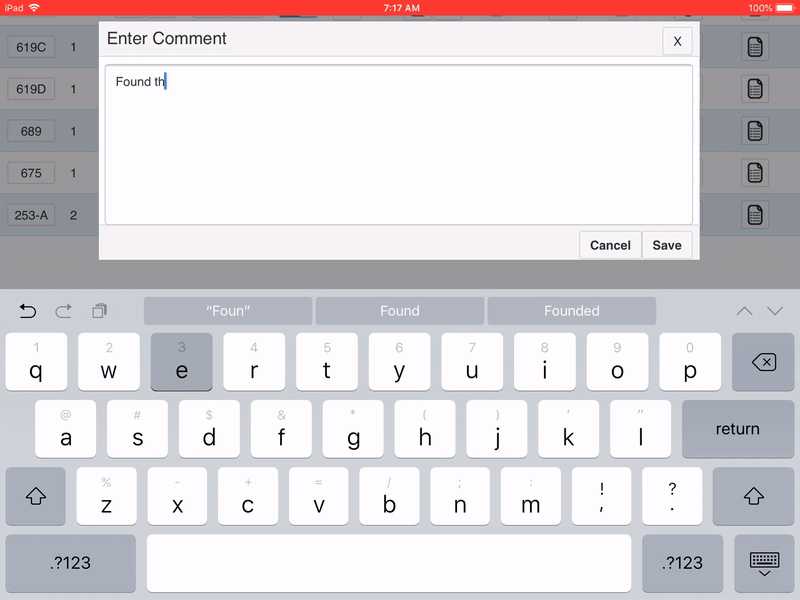
Animal Care Staff Entering a Comment Regarding the Room They're Maintaining
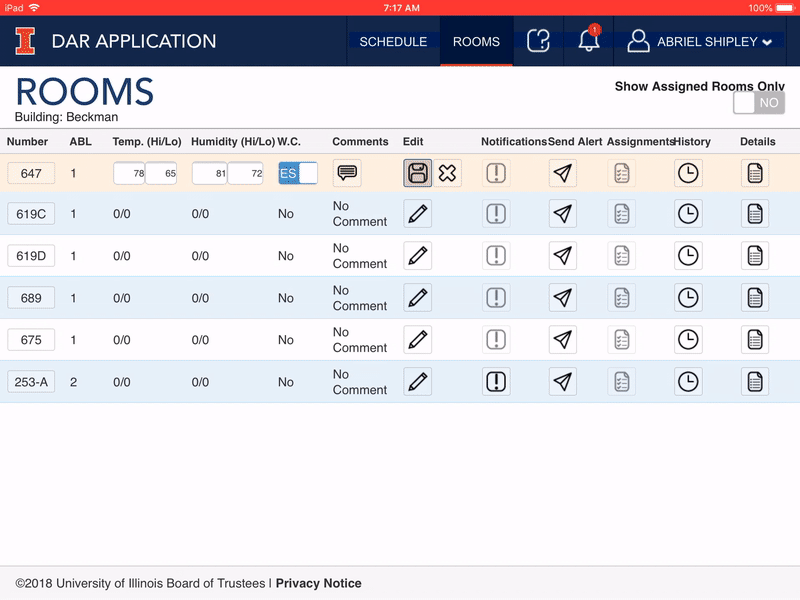
Animal Care Staff Saving the Information They Entered for the Room
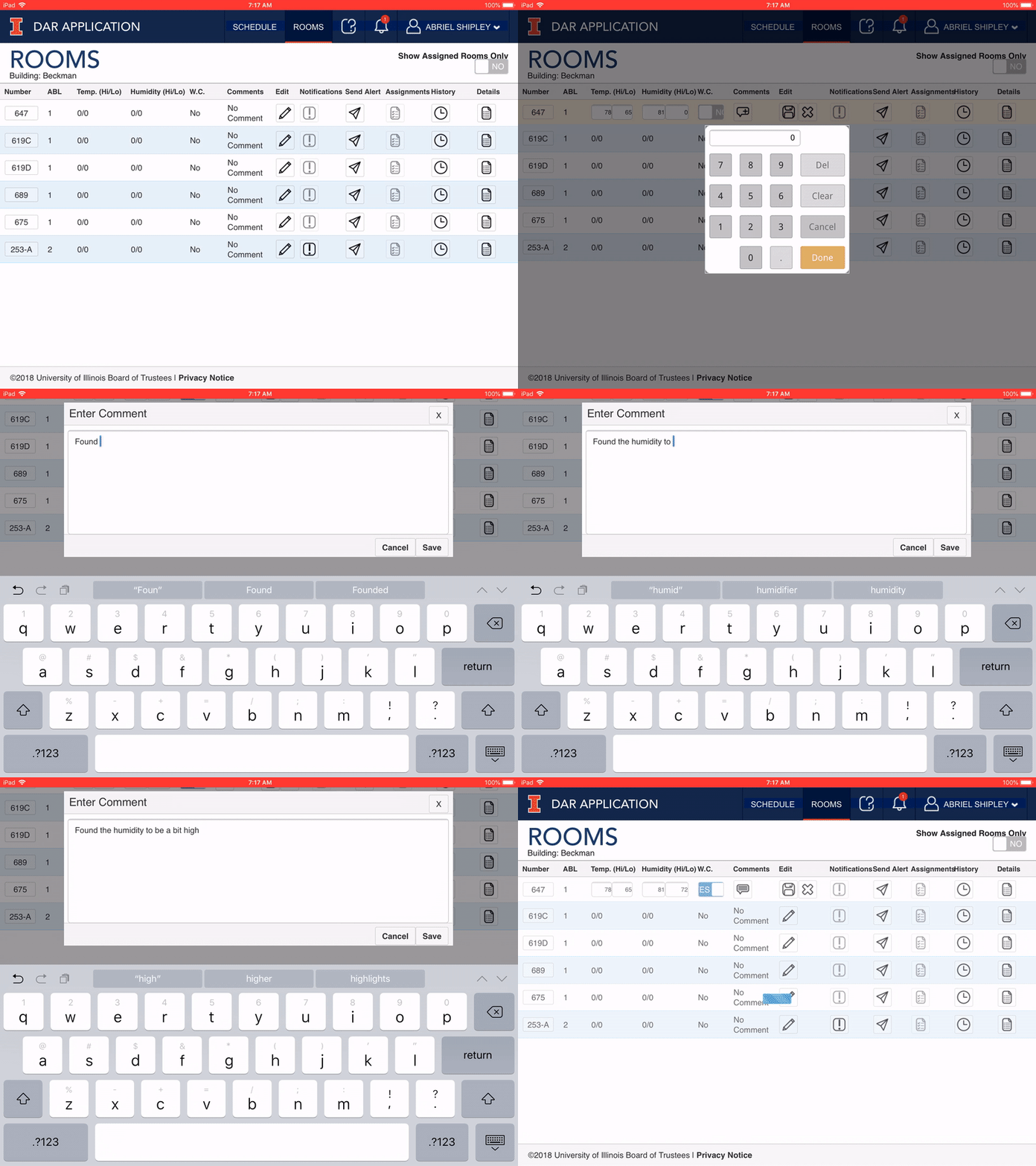
Final Animation of Animal Care Staff iPad Room Screen
We are currently in the process of soft-launching the product and will re-iterate through the entire DAR application once we have more user information provided.
© 2018, Board of Trustees at the University of Illinois. All rights reserved.